Keep the reason attached to the work.
Link a document block or selected text to the task and Test Case it informs. Follow the connection in either direction.
Project management with built-in test management Early access
From requirement to release.
Without losing the thread.
Keep product docs, tasks, and QA evidence connected in one workspace. See what needs doing, why it matters, and what has actually been tested.
Free early access. No credit card required.
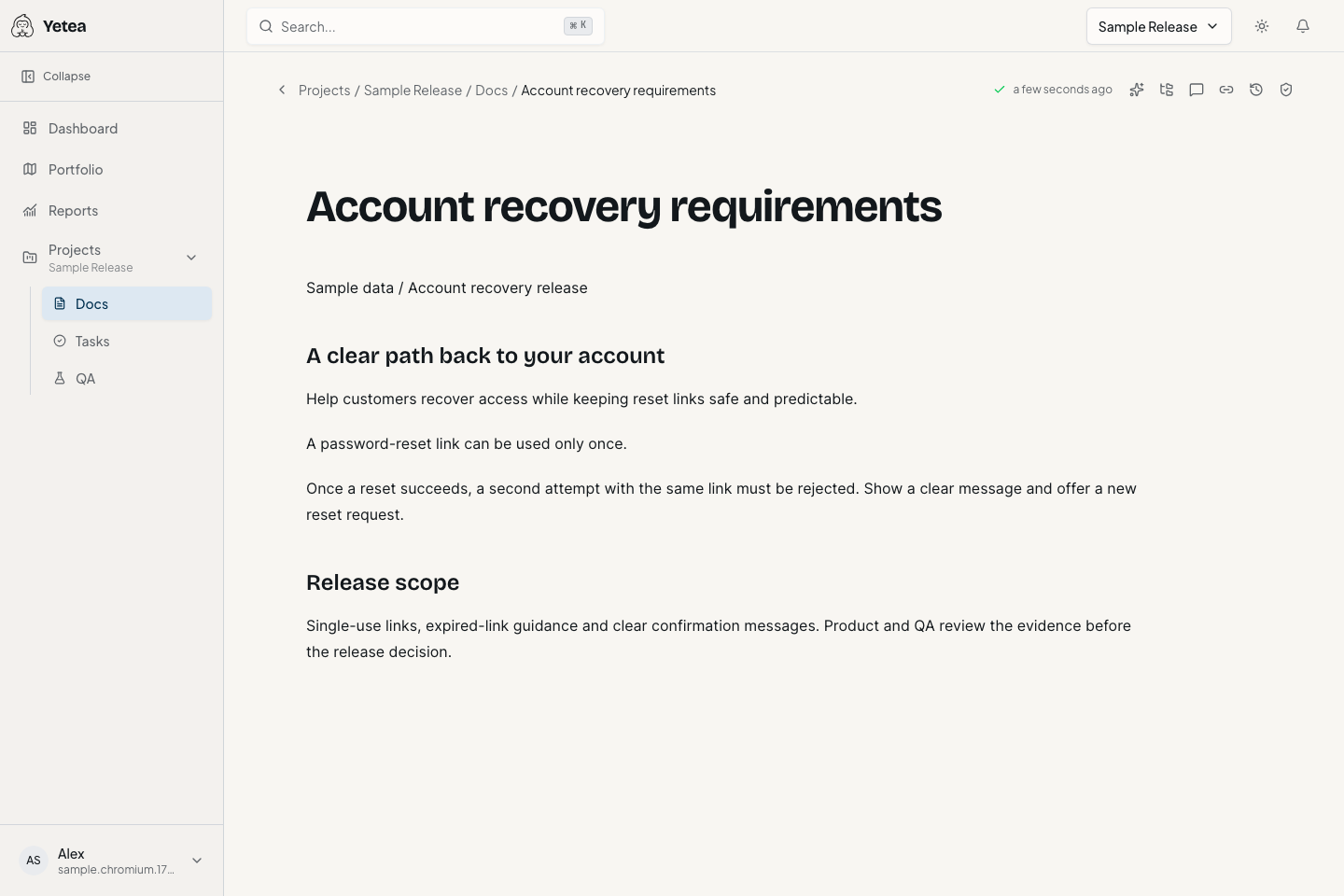
What was the original requirement? Which task implemented it? What was tested, and against which version?
Link a document block or selected text to the task and Test Case it informs. Follow the connection in either direction.
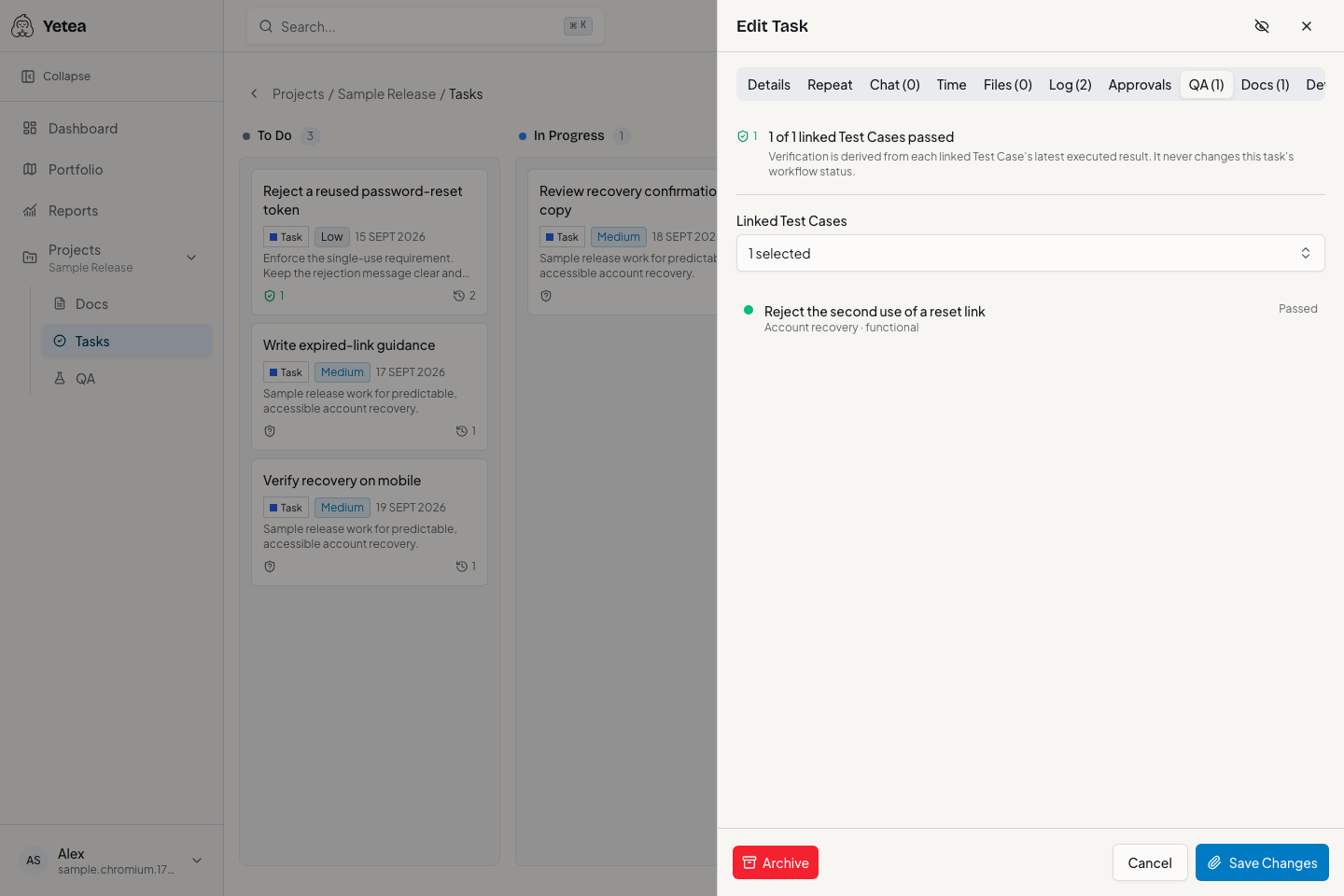
Read QA evidence separately from task status, including missing coverage, failures, blocked results and stale evidence.
Recorded results retain the Test Case revision used for execution, even when the instructions change later.
Follow a sample password-reset requirement from its original text through implementation and testing.
A password-reset link can be used only once. Keep that acceptance rule in a living document, linked to the work it informs.
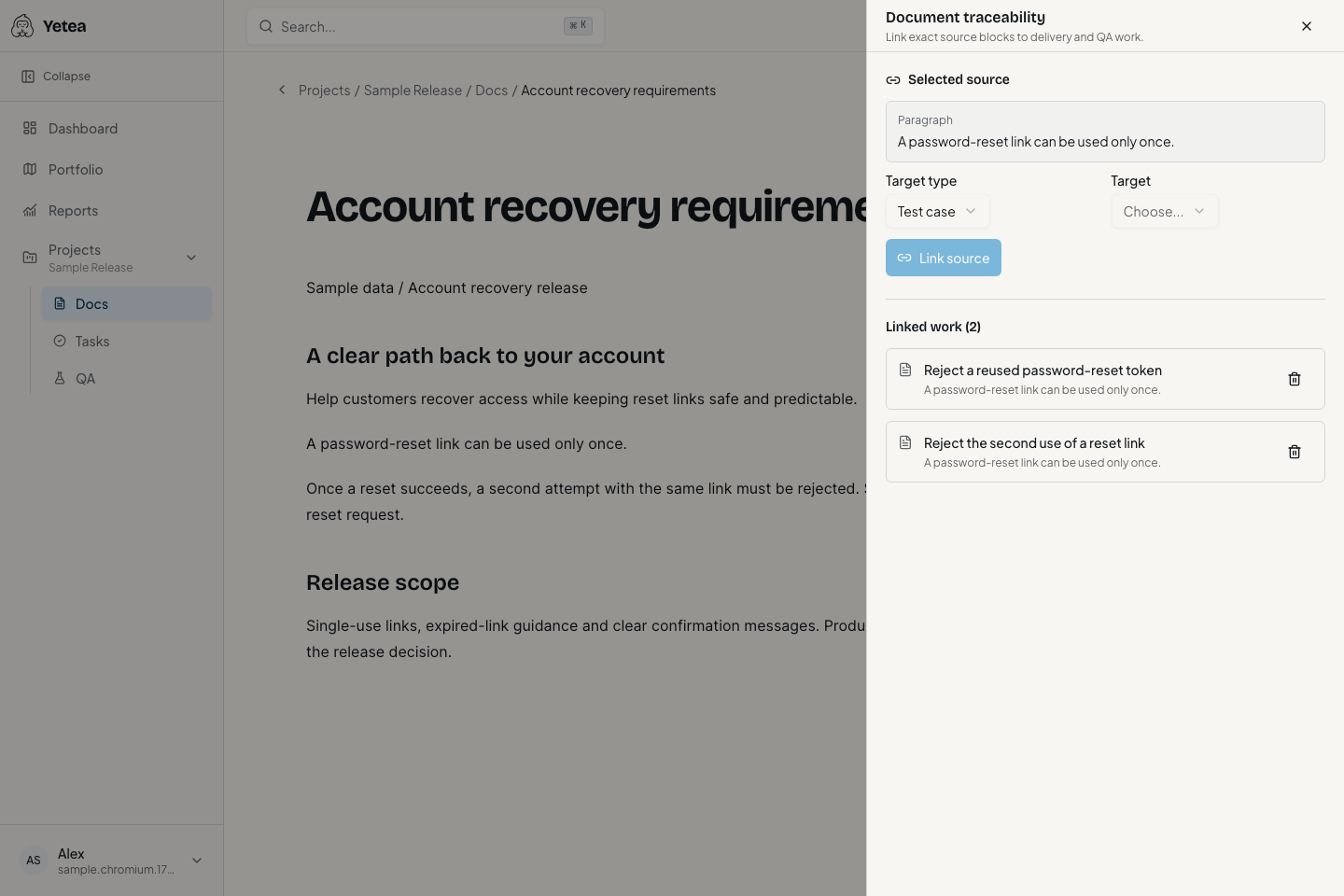
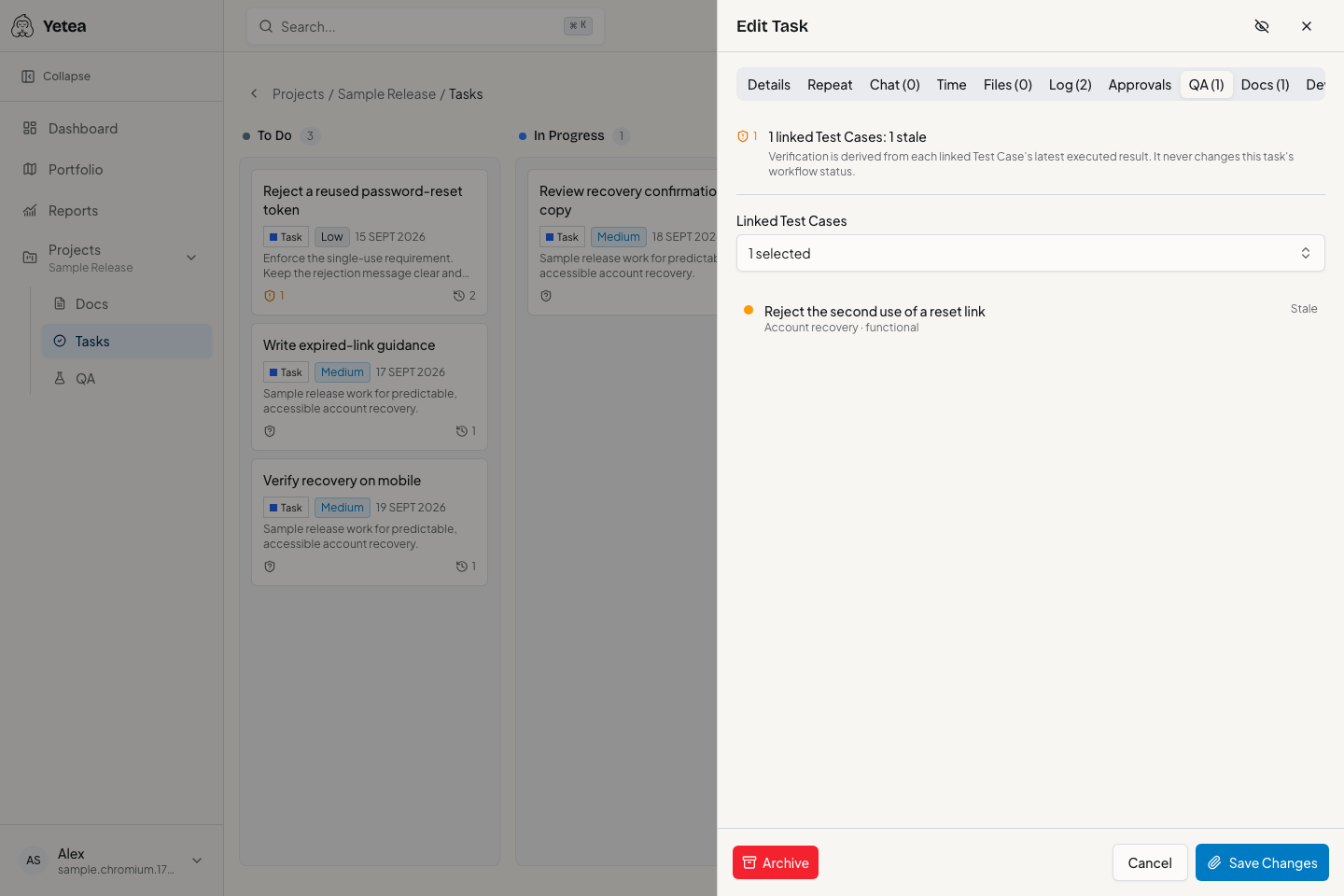
Reject a reused password-reset token. Give the task an owner and a clear scope, with its source and verification beside it.
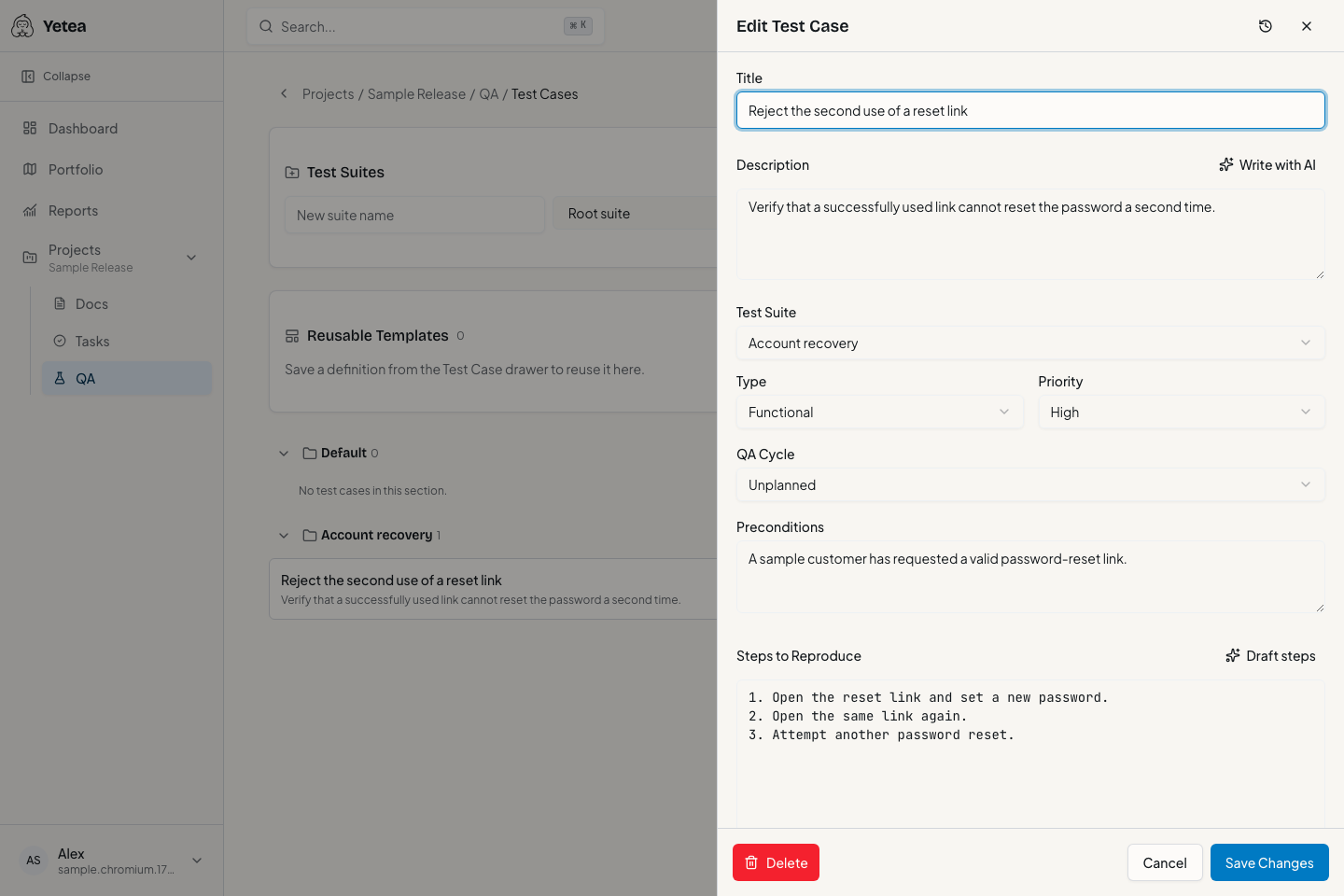
Use the reset link once, attempt to reuse it, and expect the second attempt to be rejected. Make the expected outcome observable.
Record the result against the executed Test Case revision. A passing test informs the decision; your team still controls task completion and release.
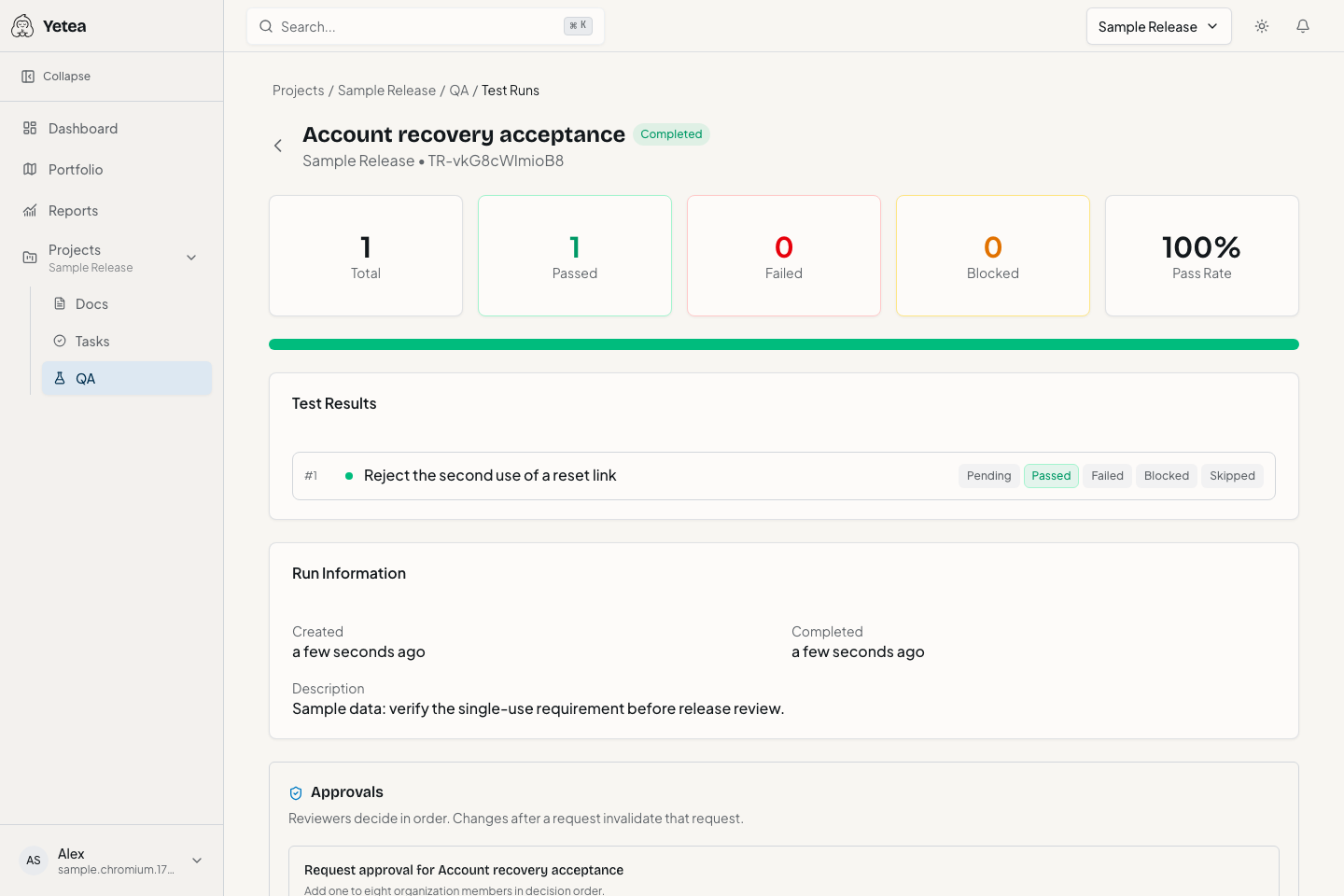
The previous pass remains part of history. Editing the case can mark task evidence as stale, so the next decision uses current instructions.
Organize requirements and decisions with hierarchy, contextual conversations, revisions and restoration.
Plan on configurable boards with assignees, dependencies, subtasks, labels and bulk actions.
Coordinate cycles, milestones, timeline and calendar views with delivery dates.
Manage suites, Test Cases, runs, revisions and linked defects beside the work.
Inspect portfolio health, workload, capacity and formal reviews.
Connect read-only GitHub evidence and ingest JUnit results through the scoped API, when configured.
Keep acceptance requirements connected to the work they create.
Work with context and inspect linked development and test evidence.
Manage Test Cases and runs beside the requirements and tasks they verify.
Pick one project and judge Yetea on real work. Supported task CSV and compatible QA CSV/XML imports can help bring over what you need.
Get help with your first projectEarly access is currently free. These proposed subscriptions are not available to purchase and do not change your current arrangement.
Experience the connected workflow.
A proposed Free plan, distinct from current early access.
Ask about this planNot available to purchase yet.
Plan and run your team's delivery.
Annual option: $72/member/year, equivalent to $6/month.
Ask about this planNot available to purchase yet.
Coordinate work and decisions across projects.
Annual option: $132/member/year, equivalent to $11/month.
Ask about this planNot available to purchase yet.
No. Yetea connects documentation, task execution, delivery planning and native test management across product, engineering and QA.
No. Start with one project or release. Check supported import formats before bringing over your task or QA library.
No. QA evidence and workflow status are separate. Your team remains responsible for completion and release decisions.
Yes. Task CSV, QA CSV/XML and structured project JSON exports are supported. They are not a complete backup/restore format or a promise of attachment parity.
Yes. Current early access is free. Proposed future subscriptions are described separately on the pricing page.
Ship confidently. Breathe easy.
Keep the requirement, the work, and the test evidence together. Start with one real project.